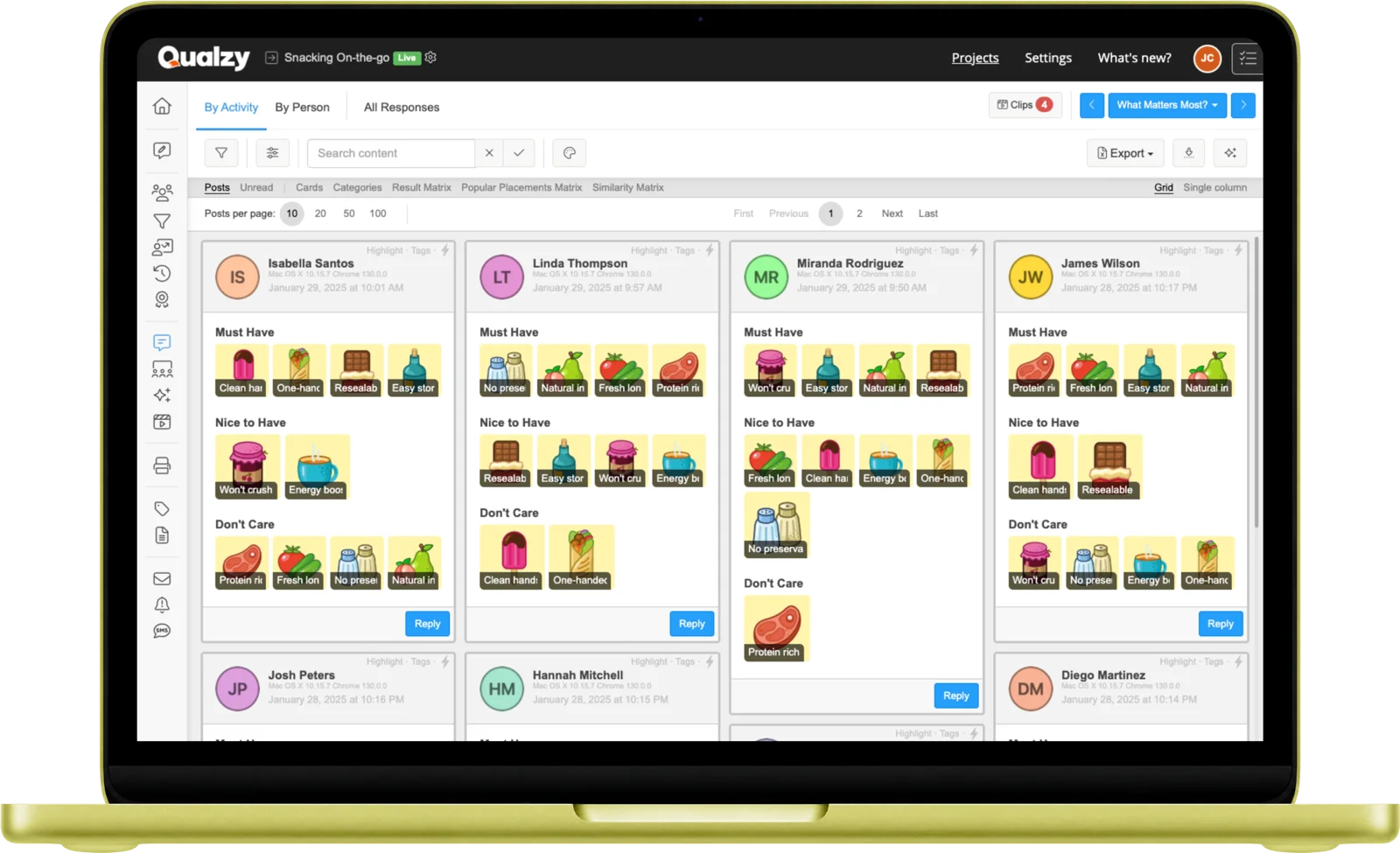
Understand how participants naturally organise information. Card Sort reveals the mental models behind category thinking, brand perception, and product preference, without asking directly.
How it works
Researchers create cards using text labels, images, or both. Cards can represent products, brands, attributes, statements, concepts, anything that needs to be organised or grouped. Cards can be presented all at once, one at a time, or in a specified order.
In an open sort, participants create their own categories and name them, revealing their natural mental model. In a closed sort, categories are pre-defined, measuring how consistently participants organise items within a fixed structure.
Participants can add reasoning to their sort, explaining why items ended up together, or why a category was named a certain way. The sort and the reasoning together give a full picture of the underlying logic.
Participant experience
On desktop, participants drag cards into groups, the interface feels like organising cards on a table, not completing a survey. On mobile, a tap-to-select interface is used instead, optimised for smaller screens.
It's one of the most engaging activity types because it's active and visual. Participants are doing something, not just answering. That changes the quality of thinking.
Participant opens the Card Sort in their browser on any device, via a link. No app required.
Browses through all the cards (text labels, images, or both) before beginning to sort.
Drags cards into groups. In an open sort, they create and name their own categories. In a closed sort, they place items into the pre-defined groups provided.
Optionally explains their grouping decisions, why items ended up together, or what they meant by a category name.
All sort data is captured with full category structure, ready for AI processing and comparison across the sample.
Results & analysis
Card Sort captures the full grouping structure from every participant, with pattern visualisation tools to surface what was sorted together, and Maizy Chat to interrogate the reasoning behind it.
Category Patterns
Qualzy captures the full sort data from every participant, identifying the most common groupings and naming conventions across the sample. Results include frequency tables, heat maps, and similarity matrices to surface how strongly items cluster together.
Sort Reasoning
Participants can add reasoning to explain their grouping decisions, why items ended up together, or what they meant by a category name. All reasoning is captured verbatim alongside the sort data, available to review per participant or across the full sample.
Maizy Chat
Use Maizy Chat to query across all card sort reasoning at any point during or after fieldwork: "Why do participants group premium brands separately?" or "What reasoning do they give for putting Brand X in the everyday category?"
Use cases
Understand how participants naturally group navigation items, product categories, or content types, before building or redesigning a site structure. Design for the mental model, not the internal taxonomy.
Ask participants to sort competitor brands into groups, revealing how they perceive the competitive set and where your brand sits within it. Surfaces positioning reality, not stated preference.
Participants sort product or service attributes into importance groups, revealing which features drive preference and which are hygiene factors. Understand what actually matters before building or briefing.
Sort products or SKUs by perceived occasion, user type, or quality tier, understanding how participants organise a category independently of brand intent. Map the consumer view of the shelf.
15-Minute Discovery Call
Tell us about your research. You'll have a clear picture about how Qualzy could work for you by the end of the call.
Combine Card Sort with these for more complete study designs
Activity Type
Card Score
Rate items across multiple criteria with calculated overall scores, for when you need ranked comparison alongside qualitative reasoning.
Activity Type
Pin Task
Annotate images with pinned comments and heat maps, for visual stimulus work alongside category research.
Activity Type
Personal Canvas
Visual mood boards, matrices, and brand collages for associative and projective research tasks.