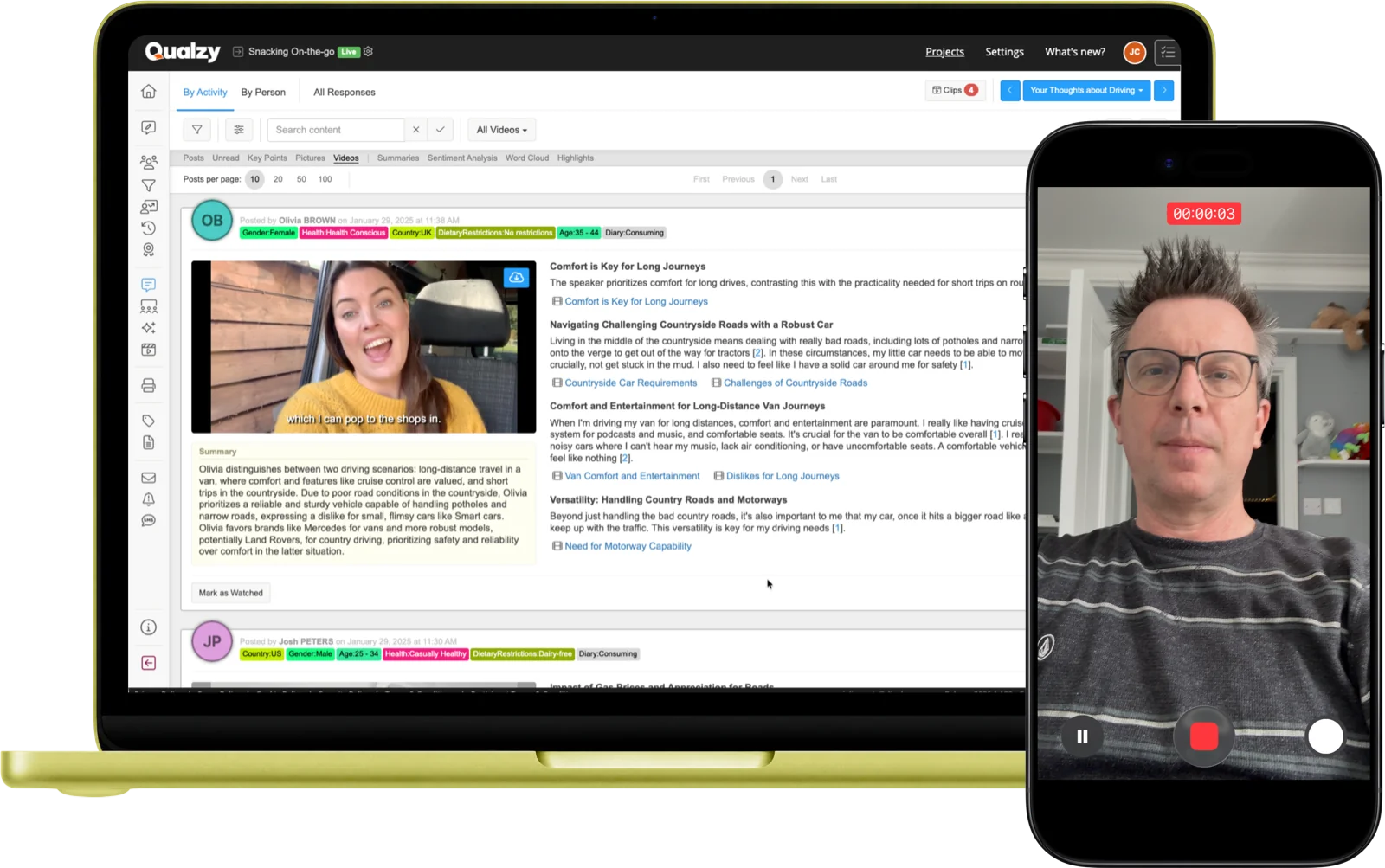
Let participants show you, not just tell you. Video, audio, and image uploads capture the moments, emotions, and environments that text responses can't reach.
How it works
Participants record or upload video clips from any device. Every video is automatically transcribed the moment it arrives. AI then extracts key points from the transcript, each with verbatim quotes that can be turned into clips. A 20-minute video diary becomes structured, navigable insight.
Voice responses capture emotional nuance that text lacks. Like video, audio uploads are auto-transcribed and AI-processed, generating summaries and key points with verbatim quotes. Ideal when video isn't appropriate or practical for the task or participant context.
Participants photograph the shelf, their fridge, the product in use, or anything else relevant to the research. Images can be sourced from their camera, gallery, or the built-in online search powered by Pixabay and Unsplash. Moderators can comment directly on images.
Participant experience
Participants access the upload activity via a browser link on any device: mobile, tablet, or desktop. No app needed. They tap to record video or audio, or select an image from their gallery.
The upload begins immediately. There's no waiting, no technical friction, just the participant and the task.
Participant taps their invitation link on any device, no app, no installation required.
Chooses whether to record or upload video, record audio, or select an image, as directed by the activity brief.
Records from their camera, selects from their gallery, or for images uses the built-in online search.
Provides any written context, description, or annotation alongside their media submission.
The moment the submission arrives, Qualzy begins transcription, translation, and AI analysis automatically.
AI analysis
Every video and audio upload is processed automatically the moment it arrives, no waiting, no manual review required to start seeing what participants are saying.
Transcription
Every video and audio upload is transcribed automatically. Timestamped, searchable, and preserved alongside the original media, so researchers can read or watch, depending on what they need.
Key Points
AI extracts key points from the transcript, each with direct verbatim quotes. Verbatims include timestamps; clicking one jumps to that exact moment in the recording. Each verbatim can be turned into a video clip for the Clip Reel Creator.
Maizy Chat
Maizy Chat lets you query across all video and audio key points conversationally at any point during or after fieldwork: "Which participants mentioned product smell?" or "What emotions came up during the unboxing task?"
Use cases
Participants film themselves using a product in their own home. The real context (their kitchen, their bathroom, their sofa) is the data. Captures behaviour and environment that a lab setting never could.
Participants record themselves at the fixture, in the aisle, or checking out online. Capture what actually drives the decision at the moment it happens, not reconstructed hours later in an interview.
Daily or weekly image submissions tracking product usage, meals, environments, or behaviour over time. Rich visual data across the full research period, a picture journal that builds into genuine insight.
Video responses to a creative stimulus (ad, concept, pack design) reveal the facial expression, tone, and emotional honesty that text simply cannot. The reaction before it's rationalised away.
15-Minute Discovery Call
Tell us about your research. You'll have a clear picture about how Qualzy could work for you by the end of the call.
Pair uploads with these activity types for richer study designs
Activity Type
Social Posts
Combine text, video, audio, and image in one response, with comments and replies between participants.
Activity Type
Media Review
Capture immediate reactions to video stimulus, play a clip and gather instant participant response.
Activity Type
Screen Recording
Record the participant's screen with verbal narration, essential for UX and digital journey research.