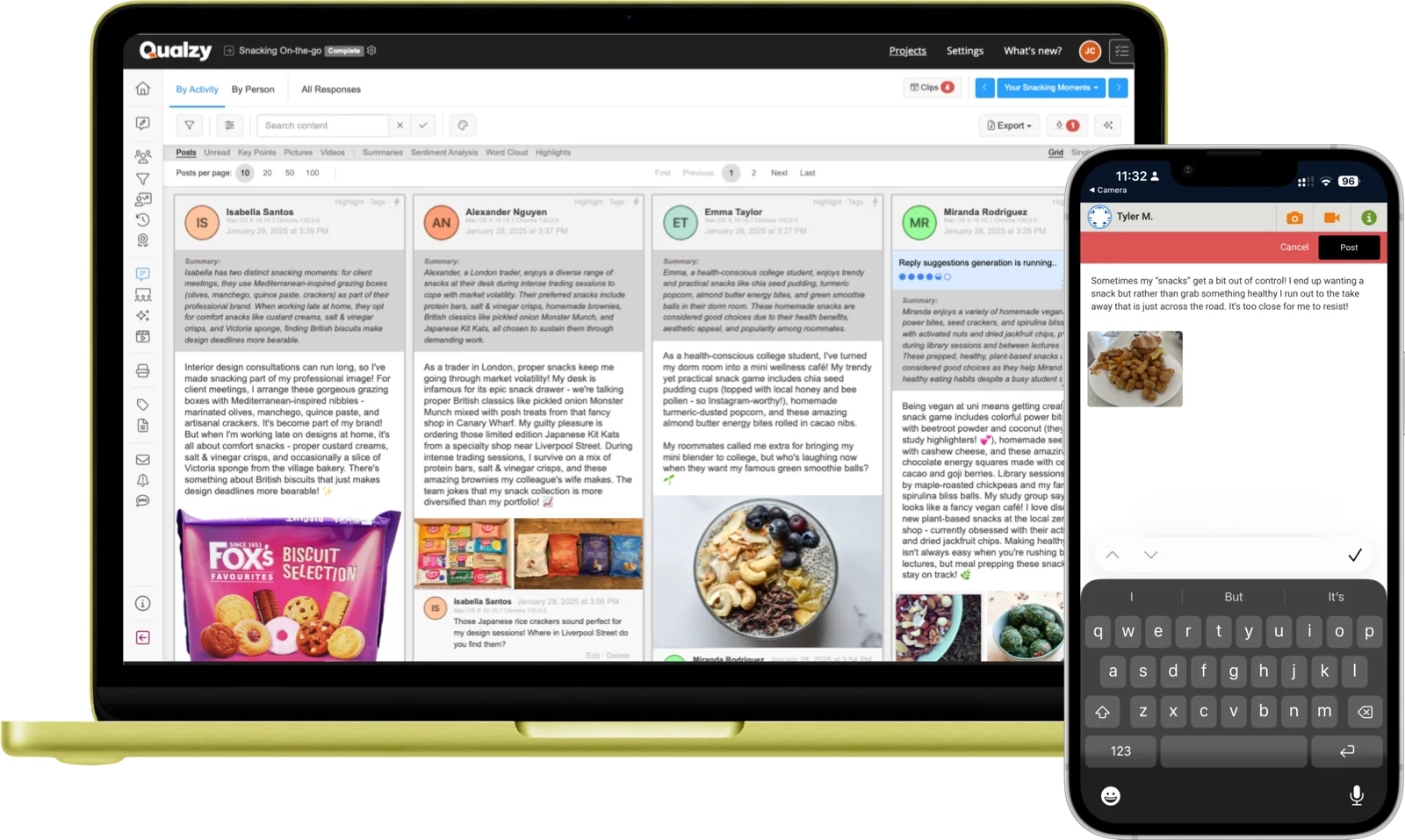
The most flexible activity type in Qualzy. Text, photos, videos, audio, participants respond the way the moment calls for, all in one place.
How it works
Participants can include text (with emoji support), photos, video clips, or audio recordings in a single Social Post response. No need for separate activity types for different media. It all lives in one place.
Enable comments and replies to let participants respond to each other's posts. Creates natural discussion without the artificiality of a formal forum, the kind of exchange that surfaces real opinion.
Moderators can comment on any post, ask follow-up questions, probe deeper, and highlight key insights, turning a single post into a multi-day conversation thread with real depth.
Participant experience
Participants see a familiar, social-media-style interface. They tap to add text, attach a photo from their camera roll, record a quick video, or leave a voice note.
It works on any device through their browser: mobile, tablet, or desktop, with no app to install.
Participant receives a task invitation via email or SMS link.
Taps the link and opens the activity in any browser: mobile, tablet, or desktop. No app required.
Submits text (with emoji), a photo, a video clip, an audio note, or any combination, whatever best captures the moment.
If the activity is set to public or unbiased visibility, participants can choose to make their post private, visible only to moderators, not other participants.
Optionally reads and comments on other participants' posts, if the moderator has enabled social sharing.
The moderator comments directly on their response, asking follow-up questions that deepen the data.
AI analysis
The moment a participant submits, Qualzy's AI begins processing their response, automatically, without any action from the researcher.
Translation
If the post is in a non-English language, a translated version is created automatically alongside the original, so nothing gets lost between markets.
Per-Post Summary
AI generates a brief summary of what the participant said in that post. Skim 50 posts in the time it used to take to read 5, without losing the nuance.
Key Points
Key points are extracted from each post, each a distinct thought, with supporting verbatim quotes. For video and audio, transcripts are generated first; key points are then extracted from those. Each verbatim can become a clip.
Use cases
Ask participants to post from real situations: at the supermarket, whilst cooking, after using a product. Rich multimedia captures context that text alone simply cannot convey.
Use Social Posts as the backbone of an online community, daily or weekly tasks with comments enabled for cross-participant discussion that builds over the course of a project.
Daily social posts from participants tracking their behaviour, mood, or product usage over days or weeks, building a rich picture of real life as it unfolds.
Pre-task or post-task submissions sent before or after interviews, surveys, or workshops, priming participants and capturing first impressions before they're rationalised away.
15-Minute Discovery Call
Tell us about your research. You'll have a clear picture about how Qualzy could work for you by the end of the call.
Combine Social Posts with these to build richer study designs
Activity Type
Diary Entry
Structured ongoing entries for longitudinal tracking and behaviour capture over time.
Activity Type
Video Uploads
Dedicated video collection with full AI transcription, key points, and clip creation.
Activity Type
Journeys
Map participant experiences stage by stage with AI-powered journey analysis.