Screen Recording asks participants to record their screen and talk you through a website or app as they use it, so you get the behaviour and the reasoning together. On Qualzy, the recordings come from real people on their own devices, in their own time, and each one is transcribed as it arrives.
How it works
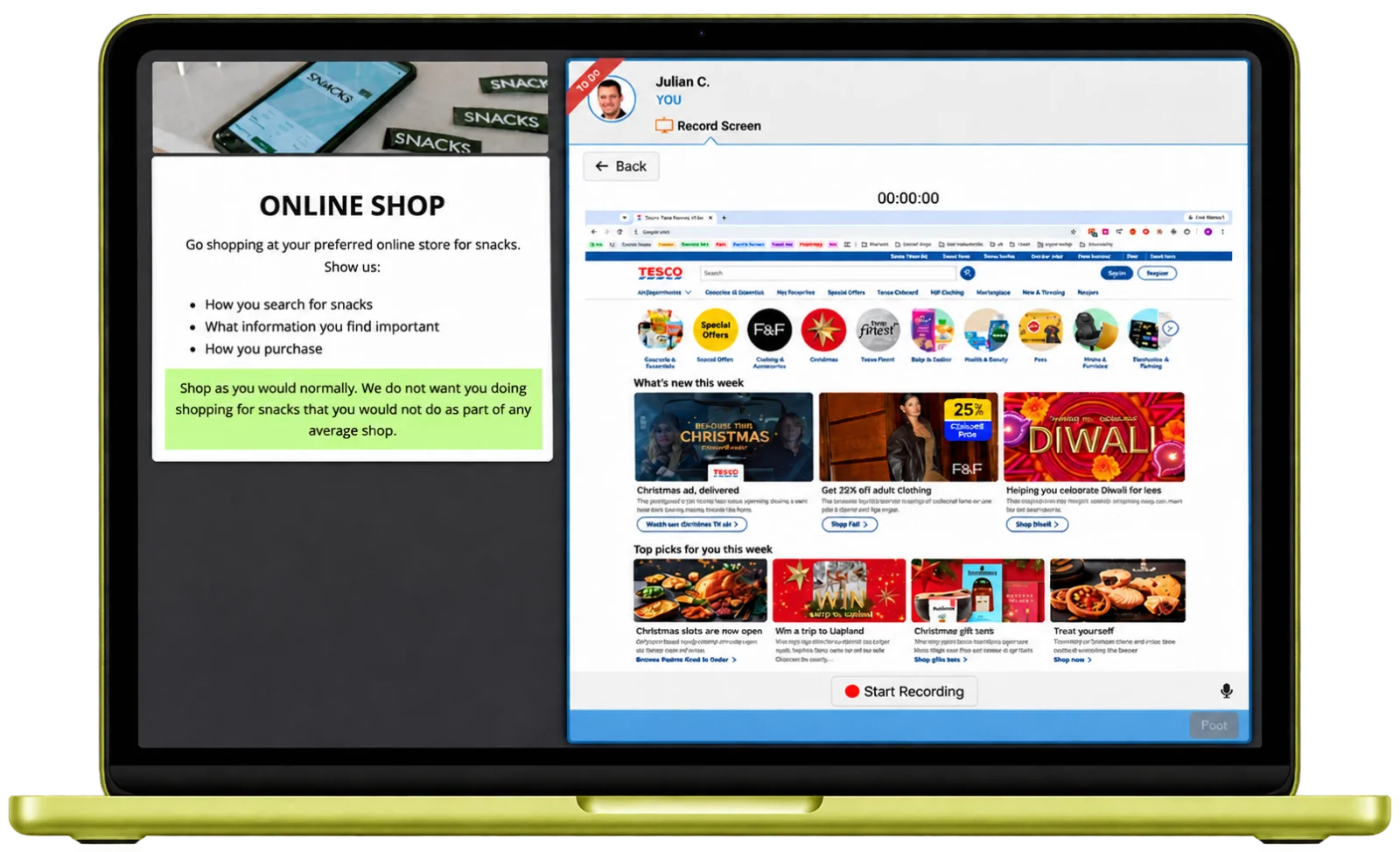
You write the prompts that guide the session: which site or app to open, where to go, what to try, what to talk about. Keep them tight for a usability test, or loose enough that participants lead you to the parts that matter to them.
Participants record their own screen while they work through the task, on the device they'd normally use. On a computer, recording starts in the browser with one permission click. On a phone, they use the phone's own screen recorder and add the recording to their response.
The narration is recorded with the screen, so every hesitation and wrong turn comes with the participant's own explanation. Their words arrive transcribed, so you can read a session as well as watch it.
Participant experience
Participants open the activity from their invitation link in a web browser on any device, with nothing to install. They do the task in their own time, alone, with nobody watching over their shoulder, which is exactly when people behave the way they normally would.
Most people have never screen-recorded anything. In the University of Bristol study, participants were pleasantly surprised at how simple it was.
Screen Recording runs as an activity in any Qualzy Discussion or Qualzy Community, alongside the other activity types. Participants complete it in the forum: it's one of two activities, with ideation, that don't run in the AI-moderated chat.
Taps their invitation link and reads your task prompts. No software to download.
On a computer, one browser permission click starts the capture and they choose which screen or window to share. On a phone, they start the phone's screen recorder.
Browses a website, explores an app, tries a prototype or works through a checkout, whatever the prompts ask.
Talks through what they're looking at, what they expect to happen and how they feel about it. Thinking aloud is what makes the recording revealing.
The recording is submitted with their response, and transcription and AI processing start straight away.
From the field
Researchers studying dark patterns in gambling apps usually audit the apps themselves, so they can fixate on features that don't influence anyone and miss the ones that do. Ella Goldstein, a final-year psychology student at the University of Bristol, wanted real bettors inside their real apps, thinking aloud as they went.
Each participant screen-recorded their preferred sports betting app on their own phone, narrating what they saw and did, guided by written prompts. The interface became the stimulus. The study surfaced underexplored dark patterns such as immediacy cues and deep-scroll tactics, and an unexpected second finding: the guardrails recreational bettors build for themselves.
Every response arrived transcribed, in one chronological feed, so the analysis kept pace with fieldwork. The dissertation took the top mark in her year and became a co-authored paper, now published in a top journal in the addictions field.

"The narrated screen recording tool offered by Qualzy was perfectly suited to the study as it enabled participants to scroll through the apps in a naturalistic way while narrating aloud their experiences."
Ella Goldstein, University of Bristol

"I don't think our sample size would have been feasible within the context of an undergraduate dissertation without effective auto transcription."
Dr Philip Newall, Senior Lecturer in Psychology, University of Bristol
AI analysis
Every recording is transcribed and processed by AI the moment it's submitted, so you can find the moments that matter without watching every minute of every session.
Transcription
The narration is transcribed automatically, so you can read what each participant said and go back to the recording for the moments you want to see. At 45 minutes to an hour of typing per recording, that's the work Bristol never had to do.
Summary & key points
AI writes a short summary of each recording and extracts key points from the narration, each with the participant's own words as supporting verbatims. You can see where people got confused or frustrated across the whole sample.
Maizy Chat
Query every narration at any point during or after fieldwork: "Where did participants get stuck at checkout?" or "What did people say when they first opened the promotions page?" Ask in plain language.
Use cases
For how a whole UX study fits together, with the other activities that help, see UX research on Qualzy.
Participants use your product on their own device while thinking aloud. See where they pause, where they backtrack and where they give up, with the reasoning alongside and without the artificiality of a lab session.
Share a link to a clickable prototype and watch participants find their way through it. It's the cognitive walkthrough you'd run in a UX lab, with a larger sample and no travel, before anything is built.
Find out how a product is actually used, compared with how it was designed to be used. Spot the adoption barriers and the features people struggle with.
Follow participants from first search to checkout, with commentary at every step. Pair it with customer journeys to see the whole path to purchase.
Ask people to walk through apps they already use and let them show you what influences them. Bristol used this to study dark patterns in betting apps, and found things no researcher-led audit could have.
Have participants narrate their way through a competitor's site or app, or the one they use today, so you hear what works for them in their own words before you design the alternative.
Combine Screen Recording with these for richer digital and UX research designs
Activity type
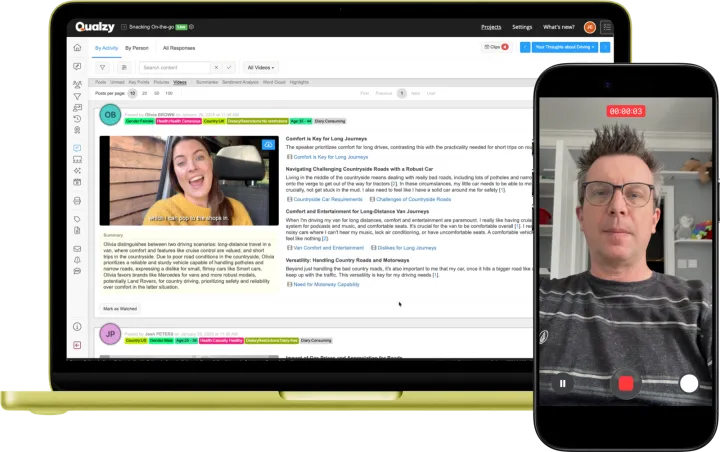
Video Uploads
Rich video responses with full AI transcription and key points, for in-context and in-home research.
Activity type
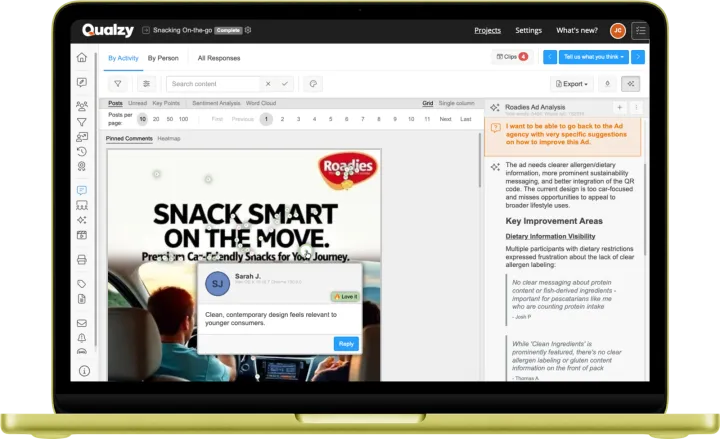
Pin Task
Annotate screenshots with pins and comments, a precise companion to screen recordings for interface research.
Activity type
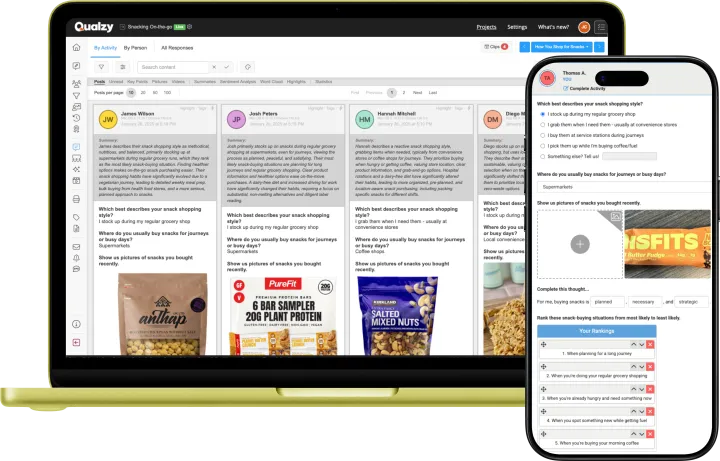
Forms & Diary Entry
Structured diary entries over days or weeks, to follow how product use changes after the first session.
15-minute Discovery Call
Tell us about your research. You'll have a clear picture of how Qualzy could work for you by the end of the call.
