UX and digital experience research

Watch people use it,
and hear why

Remote UX research watches people use a website, app or prototype and hears why. On Qualzy, they use it on their own device, in their own time, and think aloud as they go. You see where they hesitate and give up, with their reasons transcribed and summarised as each recording arrives.

Examples of what you can research

From prototype to post-launch

Pick the stage your product's at, or run something that's not here at all. Plenty of teams come back for the next stage.

Live sites and apps

Usability and post-launch

People use your product on the phone or laptop they'd normally use, and narrate what they expect and what happens instead. Run it before a redesign to find the friction, or after launch to see how the product is really used compared with how it was designed to be used.

Before it's built

Prototypes and new designs

Share a link to a clickable prototype and watch people find their way through it. It's the walkthrough you'd run in a UX lab, on the device people actually use. Put screens or wireframes into a Pin Task to see what people notice first and what confuses them.

Journeys and competitors

Online journeys and competitor sites

Follow people from first search to checkout, with commentary at every step, or have them talk through a competitor's site or the app they use today. You hear what works for them before you design the alternative. For the whole path to purchase, add customer journeys.

Why record it

What they said, and what the recording showed

Ask someone about a site afterwards and you get a tidy summary. The recording keeps everything the summary leaves out. Three illustrative examples:

They said

"Checkout was fine."

The recording showed

Forty seconds looking for the promo code box, then a sigh and carrying on without it.

They said

"I'd use the filters."

The recording showed

Scrolled past the filters twice, then typed the product name into search instead.

They said

"Signing up was quick."

The recording showed

Three goes at a password the rules kept rejecting, narrated with growing irritation.

The activities

Seeing the product through their eyes

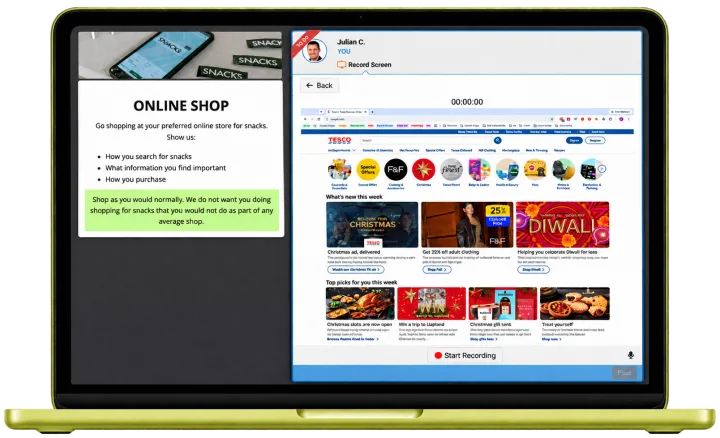
A Qualzy screen recording task on a laptop: the brief to show how you shop for snacks online sits beside the participant's recording panel, with their supermarket website open and a Start Recording button

Screen Recording

People record their screen while they work through your task and think aloud as they go, so every hesitation and wrong turn comes with an explanation. On a computer, recording starts in the browser with one permission click. On a phone, they use the phone's own screen recorder and add the recording to their response. The narration arrives transcribed, so you can read a session as well as watch it.

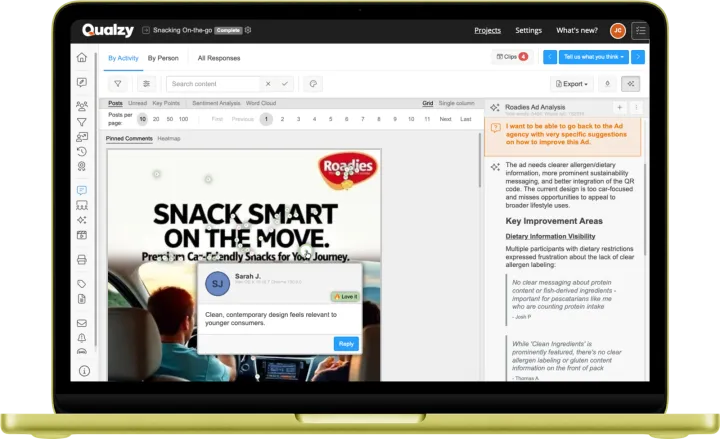
A pin task on an ad, with a participant's pinned comment and an AI analysis panel

Pin Task

Upload a screenshot, a webpage or a wireframe. People drop pins on what draws them in, worries them or confuses them, tag each one and say why. The pins build into a heat map, with the reasoning attached.

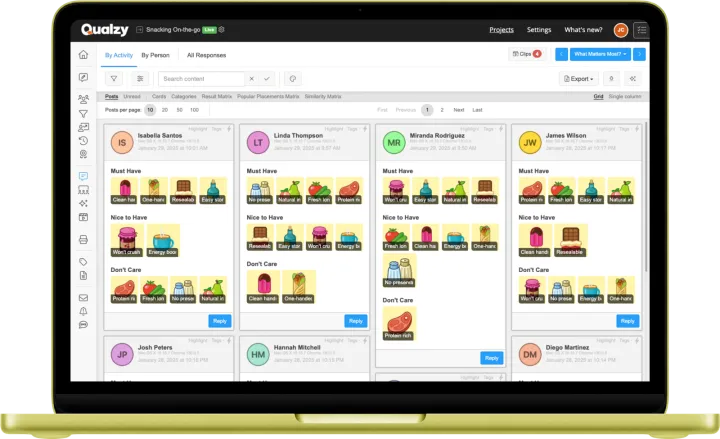
A card sort with items grouped into categories

Card Sort

Give people your features, content or menu items as cards and let them group them. An open sort shows the categories people would create and name themselves. A closed sort tests the structure you already have.

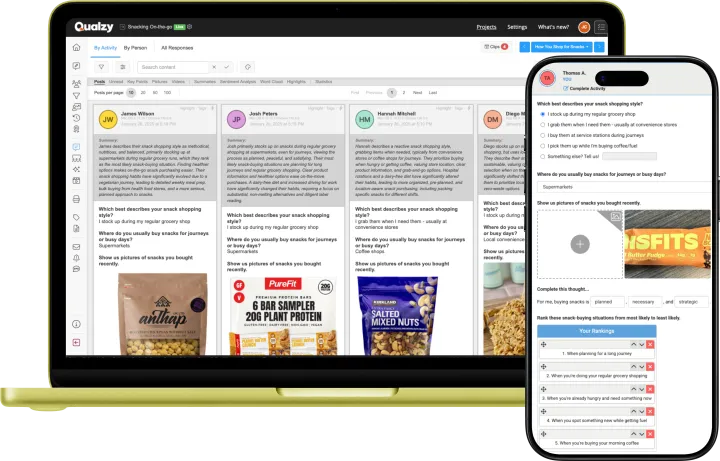
A diary form on a phone, with multiple choice, photo upload and ranking questions, beside the researcher's view of the answers

Forms & Diary Entry

A first session shows you first impressions. A diary over the following days or weeks shows you what happens next: whether people come back, which features stick and where they drift away. Repeated entries, with screenshots and photos, track how use changes over time.

How a study runs

Real devices, real context

On their own device, in their own time

People take part from an invitation link in their browser, with nothing to install, and do the task alone, in their own setting, the way they normally would.

Different groups, different designs

Within one project you can split participants into groups and give each group a different version, prototype or task, then compare what happened across them.

A short study or an ongoing panel

Most UX studies run as a Qualzy Discussion of a few days. If you test with the same users release after release, run it in a Qualzy Community and go back to them whenever you have something new.

Moderated sessions as well

For a walkthrough you want to steer as it happens, run it as an interview in Qualzy Live, in the same project, and analyse it alongside the recordings.

Customer stories

Studies that started with a screen recording

University of Bristol

32 people talking through their own betting apps

Ella Goldstein wanted real bettors in their real apps, rather than a researcher-led audit. Each participant screen-recorded their preferred sports betting app on their own phone, narrating as they went. The study surfaced dark patterns such as immediacy cues and deep-scroll tactics, and the dissertation took the top mark in her year.

  • 32 participants
  • ~6 hrs of narrated recordings
  • Up to 30 hrs of transcription avoided

"The narrated screen recording tool offered by Qualzy was perfectly suited to the study as it enabled participants to scroll through the apps in a naturalistic way while narrating aloud their experiences."

Ella Goldstein, University of Bristol

Read the University of Bristol story
Feeling Mutual

Agile research across 15+ countries

Tom Woodnutt runs agile innovation research for clients who develop and launch digital products to tight timelines. He uses Qualzy for concept tests with scoring, screen recordings and in-the-moment video, and has launched six markets at the same time.

Read the Feeling Mutual story
From recordings to the debrief

Hours of footage you don't have to sit through

  • Every narration transcribed. Read what each participant said, then jump to the moment in the recording you want to see.
  • A summary and key points per session. AI pulls out where people got confused or frustrated, each point with the participant's own words behind it.
  • Ask across every session. Use Maizy Chat to ask the whole set of recordings a question, such as where participants got stuck at checkout, during fieldwork or after it.
  • Clip reels for the product team. Turn the moments that matter into clips and export a reel the team will actually watch. See video analysis.
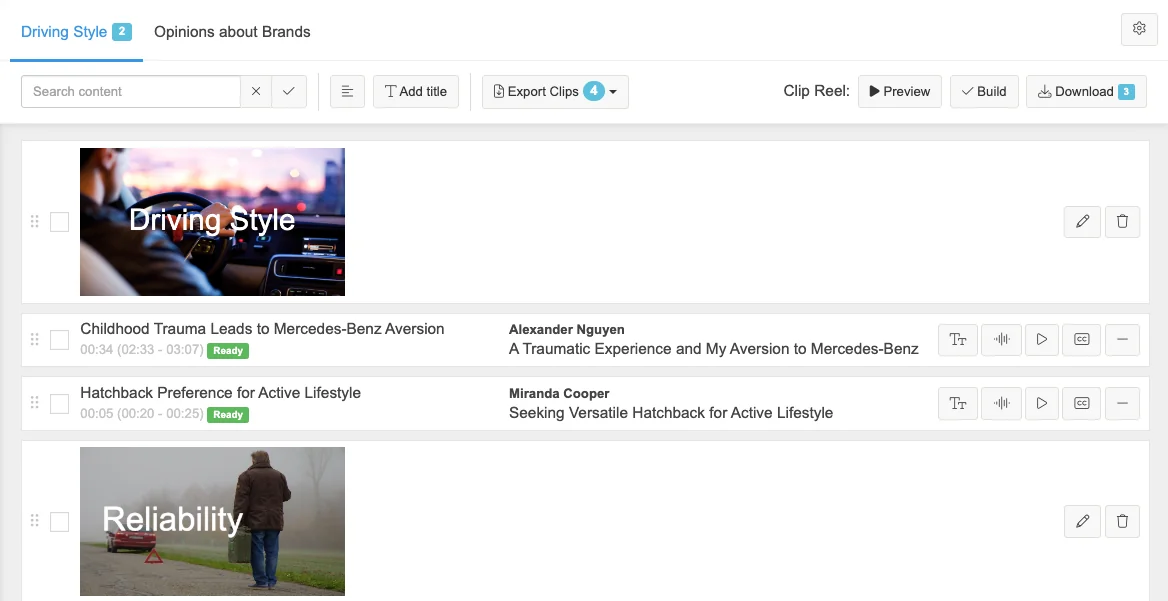
Qualzy Clip Reel Creator showing participant clips arranged into sections on a timeline, ready for export
The Clip Reel Creator: the moments that matter from across the study, ready to export.
FAQ

What UX teams ask us

Do participants need to install anything?

No. They open the activity from their invitation link in a browser. On a computer, screen recording starts with one browser permission click. On a phone, they use the phone's built-in screen recorder and add the recording to their response.

Can we test a prototype?

Yes. Share a link to a clickable prototype in the task prompts and people narrate their way through it, the same way they would with a live site or app.

How long are the recordings?

As long as your task needs. In the University of Bristol study, recordings averaged 11.4 minutes. Every recording is transcribed and summarised as it arrives, so long sessions don't mean long hours of watching.

Can different participants test different versions?

Yes. Put participants into groups within one project and give each group its own version, prototype or task, then compare the results side by side.

How is it priced?

You can pay per project or subscribe, whichever suits how often you research, and AI features are included on every plan. Find out more about pricing.

15-minute Discovery Call

Tell us what you want to learn

The site, the app or the prototype, who uses it and what you need to find out. We'll suggest the tasks, and how many people you'll need to see a pattern.